
Category
Augmented reality (AR) for ecommerce means letting online shoppers view products in 3D and place them, at true scale, in their own environment, using nothing more than their phone’s camera and browser. A customer can see how a sofa fits in their living room, how a lamp looks on their actual table, or how a pair of trainers looks on

6 min read
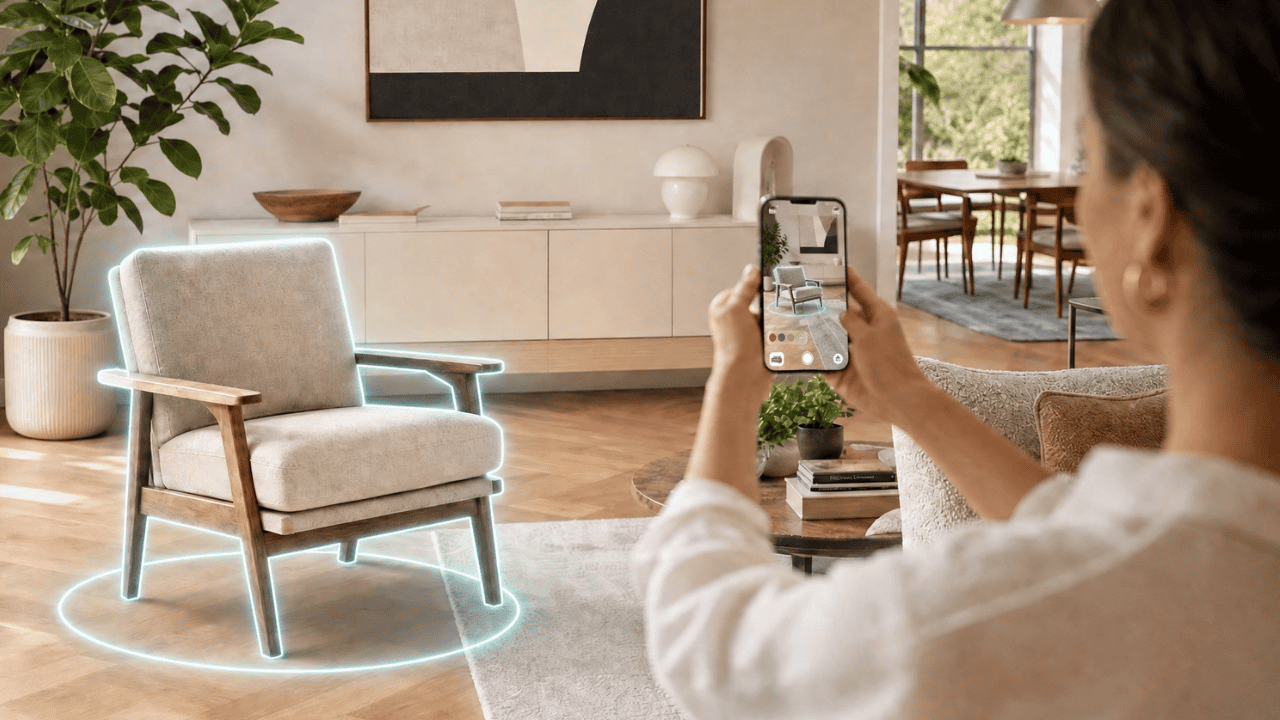
Augmented reality (AR) for ecommerce means letting online shoppers view products in 3D and place them, at true scale, in their own environment, using nothing more than their phone’s camera and browser. A customer can see how a sofa fits in their living room, how a lamp looks on their actual table, or how a pair of trainers looks on their feet, before they buy.
It exists to solve the oldest problem in online retail: you can’t pick the product up. AR gives shoppers back the confidence of seeing a product in context, the thing that physical stores have always offered and screens never could. The result, consistently, is more sales and fewer returns.
This guide explains the business case for AR in ecommerce, the difference between WebAR and app-based AR, the main types of AR experience, how to implement AR without code, and how to get started.
The business case for AR in ecommerce
AR isn’t a gimmick layered on top of a product page, it changes the economics of the page. The published evidence points in one direction:
- Conversion. Shopify reports that products with 3D/AR content convert at a rate around 94% higher than those without. Some retailers have reported conversion increases on AR-enabled product pages reaching into the hundreds of percent for the right products.
- Returns. AR helps customers order the right thing the first time. Industry research links product visualisation to meaningful reductions in return rates, especially valuable for bulky, high-value categories like furniture, where return logistics are costly.
- Willingness to pay and engagement. Around 40% of shoppers say they’d pay more for a product they can explore in AR, and AR-enabled pages tend to hold attention longer than static images.
Two clarifications matter for credibility. First, these figures come largely from platform and vendor research and vary by source and product category, they’re directional, not guarantees.
Second, the effect is strongest for products where visualisation genuinely changes the decision: furniture, homeware, large or customisable items. For a £5 commodity product, AR adds little. Plattar’s own customers bear this out: online furniture retailer Brosa saw 4x higher conversion on AR-enabled products, and Spa World reported a 134% increase in online conversion after adding 3D and AR. Full results are below.
WebAR vs app-based AR: what’s the difference?
This is the single most important distinction for any ecommerce decision-maker evaluating AR.
App-based AR requires the customer to download a dedicated app before they can use the AR feature. That’s a significant barrier: most shoppers won’t install an app to view one product, so reach is limited and the experience is interrupted.
WebAR runs directly in the phone’s web browser. The customer taps a button on your product page, something like “View in your room”, and the AR experience launches instantly, no download. Because it’s browser-based, WebAR reaches the overwhelming majority of modern smartphones and keeps the customer in the buying journey rather than sending them to an app store.
For ecommerce, WebAR is almost always the right answer: the lower the friction, the more shoppers actually use the feature, and a feature only works if people use it. This is the approach Plattar is built around.
Types of AR experiences for ecommerce
There are three main AR experiences you’ll see in online retail:
- Product placement / “view in your space.” The shopper places a true-scale 3D model of the product in their real environment. The classic use case is furniture and homeware, confirming size, fit and look before buying.
- Virtual try-on. The product is overlaid onto the shopper’s body or face in real time. For example, eyewear, jewellery, watches, footwear or cosmetics.
- Interactive 3D product viewers and configurators. The shopper rotates, zooms and customises the product in 3D, then (with WebAR) places the configured result in their space. This combination of 3D configuration and AR is where considered, customisable products convert best.
The most effective ecommerce setups join these up: configure the product in 3D, then see it in the real world; one continuous, confidence-building journey.
How to implement AR for ecommerce without code
You don’t need a development team to add AR to an online store. The modern approach is a no-code platform:
- Create 3D models of the products you want to bring to life (a good platform helps with this).
- Choose a no-code WebAR platform that integrates with your ecommerce stack, whether that’s Shopify, WooCommerce, WordPress or similar.
- Add the AR experience to your product pages via an embed or block, with a clear “View in AR” call-to-action.
- Let your own team manage it. Updating products, models and options without raising developer tickets.
- Test on real devices, then launch and measure the effect on conversion and returns.
This is deliberately different from the old model, where AR meant a custom development project. No-code platforms put AR within reach of marketing and ecommerce teams directly.
Real-world results
AR in ecommerce is no longer experimental. Major retailers have used it for years, and the well-known consumer examples (large furniture retailers offering “place it in your room”, eyewear brands offering virtual try-on) have made AR a mainstream shopper expectation rather than a novelty. Plattar’s own customers show what that looks like in practice:
- Brosa (online furniture). The online-first furniture retailer added a browser-based “View at Home” AR experience and achieved 4x higher conversion on AR-enabled products, going live in just eight weeks.
- Snooze (bedroom furniture). The national furniture retailer used Plattar’s 3D Viewer and AR to reach a 40% increase in add-to-cart and a 29% increase in online sales conversion on 3D-enabled products versus traditional product pages.
- Spa World (spa retailer). The largest spa retailer in the Southern Hemisphere added a 3D configurator with AR and saw a 134% increase in online conversion, with configuration time cut from days to under three minutes.
Notice the pattern: the biggest gains come from considered, high-value, hard-to-picture products, exactly where seeing true scale and configuration in context changes the buying decision.
Getting started with AR for ecommerce
If you’re considering AR, start by identifying the products where visualisation most affects the buying decision, typically your highest-value, highest-return or most customisable lines, and pilot there. Choose a no-code WebAR platform so you can launch and iterate without a development bottleneck, and measure against conversion and return rate so you can prove the impact.
Plattar is a no-code 3D and WebAR platform built for exactly this: browser-based AR with no app download, interactive 3D configuration, and management by your own team.
Book a demo now.
Frequently asked questions
What is augmented reality in ecommerce?
It’s the use of AR to let online shoppers view products in 3D and place them, at real scale, in their own environment via their phone, to judge fit, size and look before buying.
Does AR actually increase ecommerce conversions?
Published research consistently links AR/3D product content to higher conversion. Shopify, for example, reports around a 94% higher conversion rate for products with such content. Plattar’s own customers have seen similar effects, from a 29% conversion lift at Snooze to 4x higher conversion at Brosa. Effects vary by product category.
Does AR reduce returns?
Yes, by helping customers choose correctly the first time. It’s especially effective for furniture and large items, where seeing true scale in your own space prevents the mismatch that drives returns.
What’s the difference between WebAR and app-based AR?
App-based AR needs a download; WebAR runs in the phone’s browser with no install. For ecommerce, WebAR’s lower friction means far more shoppers actually use it.
Do I need an app for AR shopping?
No. WebAR works directly in the browser, so customers can use AR straight from your product page without downloading anything.
How do I add AR to my online store?
Use a no-code WebAR platform that integrates with your ecommerce system, add an AR call-to-action to your product pages, and manage it with your own team, no development project required.
Which products work best with AR?
High-value, high-consideration, large or customisable products for example, furniture, homeware, eyewear, jewellery or footwear, where seeing the product in context genuinely changes the decision.
About the author
Rupert Deans
CEO / Founder, PLATTAR
Rupert writes about 3D and AR commerce, the technology behind immersive product experiences, and how retail teams put it to work. Previously led content at two ecommerce platforms.
Ready to bring your products to life?
See how Plattar can lift engagement and conversion for your brand. Book a personalised walkthrough with our team.
Book a demo
Talk to sales